Communication Panel
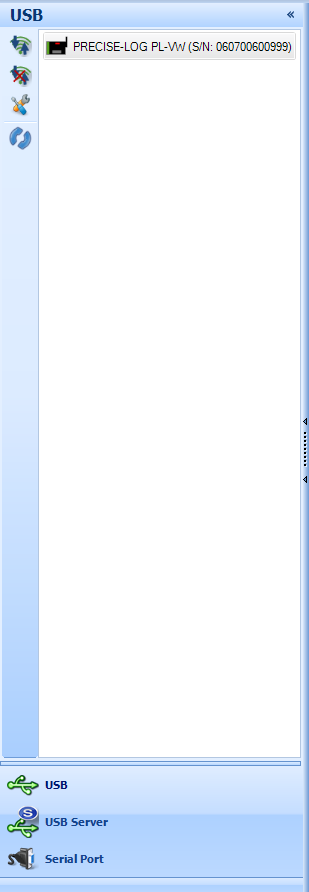
Communication bar contains the following interfaces:
USB:
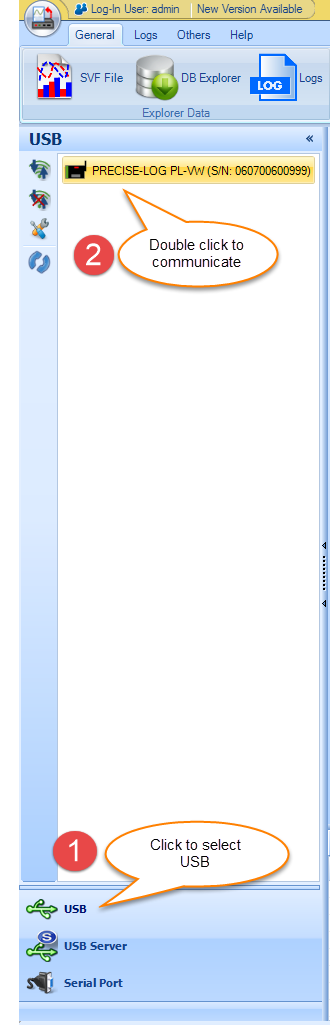
You can connect the
logger to the computer through a USB port. Once you plugged in SiteView will detect it automatically and show it in the
list.
You can double click on the logger icon to contact the
logger and load the status window. Other buttons are used to close the
connection, see the properties of the connection
etc.
USB Device Server
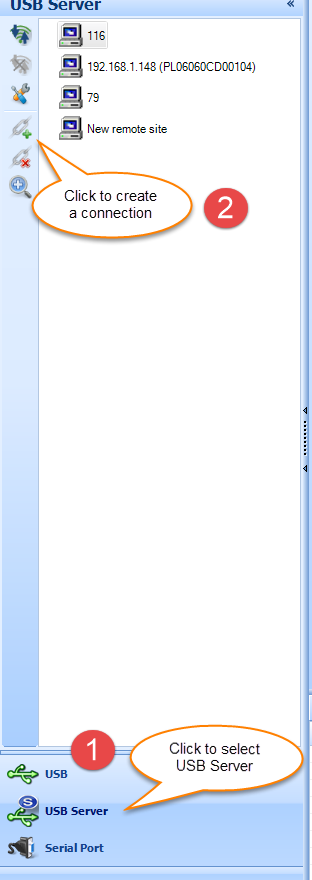
SiteView can use USB Server
connection to communicate with a logger that is connected to Site USB Device
Server hardware or PRECISE-LOG data
loggers.
Serial Port:
SiteView uses Serial Port to communicate with a logger
connected to a serial port of the computer.

© 2018 Microedge Instruments Inc.
 SiteView help